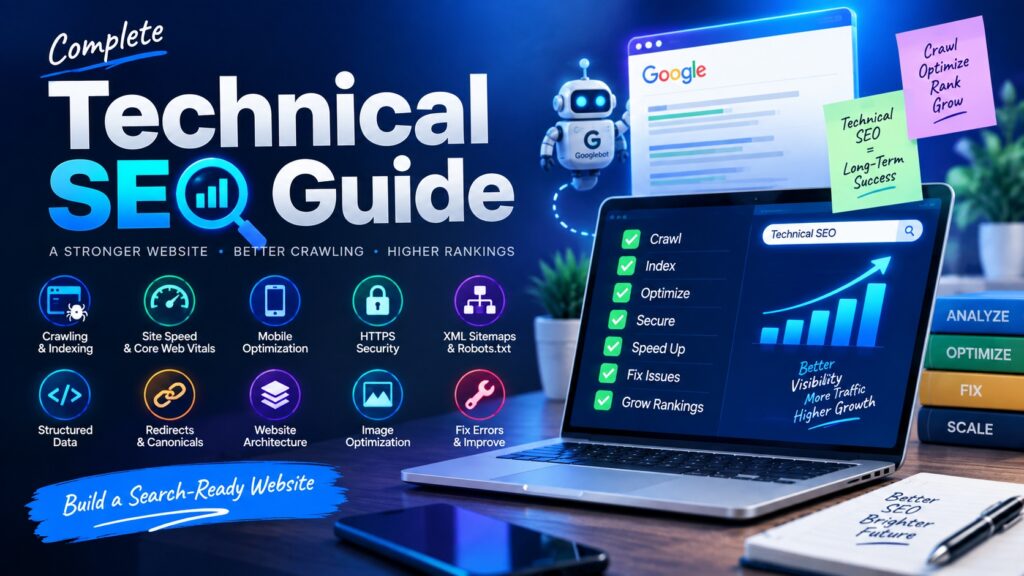
Technical SEO plays a major role in how easily search engines can discover, crawl, understand, and index your website.
Even excellent content may struggle to perform if your website has technical problems such as slow loading times,
broken links, duplicate pages, indexing issues, or poor mobile usability.
This technical SEO guide explains the most important areas you should check and improve to build a stronger,
faster, and more search-friendly website.
What Is Technical SEO?
Technical SEO is the process of improving the technical structure of a website so that search engines can access
and understand its pages efficiently.
It focuses on areas such as crawling, indexing, website speed, mobile usability, HTTPS, XML sitemaps,
structured data, canonical URLs, redirects, and website architecture.
Technical SEO does not replace high-quality content. Instead, it creates a strong foundation that allows your
content and other SEO efforts to work more effectively.
Why Is Technical SEO Important?
Search engines need to discover and access your pages before they can consider showing them in search results.
If important pages are blocked, difficult to crawl, extremely slow, or incorrectly configured, your organic
visibility may suffer.
Good technical SEO can help you:
- Make important pages easier for search engines to crawl.
- Improve website indexing.
- Reduce duplicate content problems.
- Create a better mobile experience.
- Improve website loading performance.
- Strengthen website security.
- Make website structure easier to understand.
- Identify and fix technical errors before they affect users.
Technical SEO Checklist
1. Make Sure Your Website Can Be Crawled
Crawling is the process search engines use to discover pages and links across your website.
If search engine crawlers cannot access an important page, that page may have difficulty appearing in search results.
Check for:
- Important pages accidentally blocked in robots.txt.
- Broken internal links.
- Pages requiring unnecessary login access.
- Navigation that search engines cannot easily follow.
- Orphan pages with no internal links pointing to them.
2. Review Your Robots.txt File
The robots.txt file provides instructions about which parts of your website automated crawlers may or may not access.
It can be useful for preventing unnecessary crawling of specific areas.
However, a small configuration mistake can accidentally block important sections of your website.
Review the file carefully before making major changes.
Example:
User-agent: *
Disallow:

Sitemap: https://example.com/sitemap.xml
Avoid blocking important CSS, JavaScript, images, articles, product pages, or other resources required for normal
website rendering unless there is a specific reason to do so.
3. Create and Submit an XML Sitemap
An XML sitemap provides search engines with a list of important URLs from your website.
It is particularly helpful for larger websites, new websites, or websites containing many pages.
A good XML sitemap should:
- Include important indexable URLs.
- Use the preferred canonical version of each URL.
- Avoid broken or redirected pages.
- Avoid including pages marked as noindex.
- Stay updated when important content is added or removed.
After creating your sitemap, submit it through the relevant search engine webmaster tools where appropriate.
4. Check Website Indexing
A page can be crawled without necessarily being indexed.
Indexing means a search engine has processed the page and may consider it for relevant search results.
Common indexing problems include:
- Accidental noindex tags.
- Incorrect canonical URLs.
- Duplicate pages.
- Low-value pages.
- Server errors.
- Blocked resources.
- Redirect problems.
Regularly check your most important pages to make sure they are available for indexing.
5. Use Canonical Tags Correctly
Canonical tags help search engines understand which version of a similar or duplicate page you prefer as the main version.
Example:
<link rel="canonical" href="https://example.com/technical-seo-guide/">
Canonical tags are especially useful when similar content can appear under multiple URLs due to filters,
parameters, tracking links, or website structure.
Make sure important pages do not accidentally point their canonical tags toward unrelated URLs.
6. Improve Your Website Architecture
Website architecture describes how your pages are organized and connected.
A simple structure helps both visitors and search engines navigate your website more easily.
Example structure:
Home > SEO > Technical SEO > Technical SEO Guide
Best practices include:
- Keep important pages reasonably close to the homepage.
- Use logical categories.
- Avoid unnecessarily deep folder structures.
- Add relevant internal links.
- Use breadcrumbs when helpful.
- Avoid isolated pages.
7. Use SEO-Friendly URLs
URLs should be simple, readable, and descriptive.
A clean URL makes it easier for users to understand what a page contains.
Good example:
https://example.com/technical-seo-guide/
Less useful example:
https://example.com/page?id=78392&cat=14
URL best practices:
- Use descriptive words.
- Keep URLs reasonably short.
- Use hyphens between words.
- Avoid unnecessary parameters where possible.
- Keep URL structures consistent.
8. Make Your Website Mobile Friendly
Your website should provide a strong experience on smartphones, tablets, laptops, and desktop computers.
Mobile users should not need to zoom excessively or struggle with navigation.
Check the following:
- Responsive website design.
- Readable font sizes.
- Easy-to-use navigation.
- Properly sized images.
- Clickable buttons with enough spacing.
- No unwanted horizontal scrolling.
- Consistent important content across devices.
9. Improve Website Speed
A slow website can frustrate users and reduce engagement.
Improving loading performance should therefore be an important part of your technical SEO strategy.
Ways to improve website speed include:
- Compress large images.
- Use appropriately sized images.
- Enable browser caching.
- Reduce unnecessary scripts.
- Minify CSS and JavaScript where appropriate.
- Use efficient website hosting.
- Remove unused plugins and themes.
- Use a content delivery network when appropriate.
- Reduce unnecessary third-party resources.
10. Review Core Web Vitals
Core Web Vitals are performance measurements designed to evaluate important parts of the user experience.
They focus on loading performance, responsiveness, and visual stability.
Instead of optimizing only for a score, focus on making the website genuinely faster, smoother, and easier to use.
Useful improvements may include:
- Optimizing large images and visual elements.
- Reducing unnecessary JavaScript execution.
- Improving server response times.
- Preventing unexpected layout movement.
- Prioritizing important page resources.
11. Use HTTPS
HTTPS protects data transferred between your website and your visitors.
Every modern website should use a valid SSL certificate.
Check that:
- All important pages use HTTPS.
- HTTP pages redirect correctly to HTTPS.
- Internal links point to HTTPS URLs.
- Images and scripts load securely.
- Your SSL certificate is valid and up to date.
Mixed-content warnings can occur when an HTTPS page loads resources through insecure HTTP connections,
so these issues should also be corrected.
12. Fix Broken Links and 404 Errors
Broken links create a poor experience and can make it more difficult for users and search engines to navigate your website.
When you find broken links:
- Update the link if the destination has changed.
- Remove the link if it is no longer useful.
- Create an appropriate redirect when a page has permanently moved.
- Restore an important page if it was accidentally deleted.
Your custom 404 page should also help visitors find useful content instead of leaving them at a dead end.
13. Use Redirects Properly
Redirects send users and search engines from one URL to another.
They are useful when pages move, URLs change, or old content is replaced.
Common redirect situations include:
- Changing a page URL.
- Merging duplicate articles.
- Moving your website to HTTPS.
- Replacing outdated content.
- Changing your website structure.
Avoid creating long redirect chains where one URL redirects several times before reaching the final page.
14. Fix Redirect Loops
A redirect loop happens when URLs continuously redirect to one another without reaching a final destination.
This can prevent users and search engines from accessing the page.
Review your redirect rules whenever you change URLs, domain settings, HTTPS configurations, or website plugins.
15. Add Structured Data Where Appropriate
Structured data provides search engines with additional information about the meaning and type of your content.
Depending on your website, structured data may describe:
- Articles.
- Products.
- Organizations.
- Local businesses.
- Recipes.
- Breadcrumbs.
- Events.
Structured data should always accurately represent the visible content of the page.
Avoid adding markup for information users cannot actually see.
16. Optimize Internal Linking
Internal links connect pages within your website.
They help search engines discover content while guiding visitors toward useful related information.
Internal linking best practices:
- Link relevant articles together.
- Use descriptive anchor text.
- Link to important pages from appropriate locations.
- Update older articles with links to newer content.
- Avoid excessive or unrelated links.
17. Find and Fix Orphan Pages
An orphan page is a page that has no internal links pointing to it.
Search engines and visitors may have difficulty discovering these pages through normal website navigation.
If an orphan page is valuable, add relevant internal links to it.
If it is outdated or unnecessary, consider updating, consolidating, redirecting, or removing it.
18. Avoid Duplicate Content Problems
Duplicate or very similar pages can make it harder for search engines to understand which page should be treated as the main version.
Duplicate content can result from:
- URL parameters.
- HTTP and HTTPS versions.
- www and non-www versions.
- Printer-friendly pages.
- Tag or archive pages.
- Product filters.
- Copied or repeated content.
Canonical tags, redirects, consistent internal linking, and better website architecture can help control these issues.
19. Optimize Images Technically
Large images are a common cause of slow page loading.
Optimize images before uploading them to your website.
Image optimization checklist:
- Compress image file sizes.
- Resize images to suitable dimensions.
- Use modern formats where appropriate.
- Add descriptive file names.
- Add meaningful alt text.
- Use responsive images.
- Apply lazy loading when appropriate.
20. Check Your Website for Server Errors
Server errors can prevent both visitors and search engines from accessing your pages.
Persistent server problems should be investigated quickly.
Common problems may include:
- Temporary server downtime.
- Database connection problems.
- Hosting resource limitations.
- Plugin conflicts.
- Incorrect server configurations.
21. Create a Helpful Custom 404 Page
Visitors may sometimes reach pages that no longer exist.
A useful 404 page can help them continue browsing instead of leaving your website.
Your 404 page can include:
- A clear message explaining that the page was not found.
- A link to your homepage.
- A search box.
- Links to important categories.
- Links to popular articles.
22. Use Breadcrumb Navigation
Breadcrumbs help users understand where they are within your website.
They are particularly useful for blogs, online stores, and websites with multiple categories.
Example:
Home > SEO > Technical SEO Guide
Breadcrumb structured data may also help search engines better understand your website hierarchy.
23. Keep Important JavaScript and CSS Accessible
Modern websites often depend on JavaScript and CSS to display content properly.
Blocking essential resources may prevent search engines from seeing the page in the same way users do.
Make sure your website’s important content, navigation, links, and page structure remain accessible.
24. Check Pagination and Large Content Sections
Websites with many products, articles, or category pages may use pagination or other navigation systems.
Make sure important pages remain accessible through normal internal links.
Avoid website structures where important content can only be reached after complicated user interactions.
25. Remove Unnecessary Thin or Low-Value Pages
A website can accumulate many low-value pages over time, including outdated tags, duplicate archives,
empty categories, test pages, and automatically generated URLs.
Review these pages periodically and decide whether they should be improved, combined, redirected,
excluded from indexing, or removed.
Technical SEO Audit Checklist
Use the following checklist when reviewing your website:
- Confirm that important pages are crawlable.
- Review your robots.txt file.
- Create and update your XML sitemap.
- Check whether important pages are indexed.
- Review canonical tags.
- Improve website architecture.
- Use clean and descriptive URLs.
- Check mobile usability.
- Improve website speed.
- Review Core Web Vitals.
- Use HTTPS across the website.
- Fix broken links.
- Fix redirect chains and loops.
- Add appropriate structured data.
- Improve internal linking.
- Find orphan pages.
- Control duplicate content.
- Optimize images.
- Check server errors.
- Create a helpful 404 page.
- Add breadcrumbs where useful.
- Keep important resources accessible.
- Remove unnecessary low-value pages.
Technical SEO Tools You Can Use
A combination of search engine tools, crawling software, performance testing tools, analytics platforms,
and server information can help you identify technical problems.
Useful tool categories include:
- Search performance and indexing tools.
- Website crawling tools.
- Page speed testing tools.
- Structured data testing tools.
- Mobile usability testing tools.
- Analytics platforms.
- Server log analysis tools.
No single tool can identify every technical SEO problem, so it is often useful to compare data from multiple sources.
Common Technical SEO Mistakes to Avoid
- Blocking important pages in robots.txt.
- Adding noindex tags to valuable content accidentally.
- Using incorrect canonical URLs.
- Ignoring mobile usability problems.
- Uploading very large images.
- Creating unnecessary redirect chains.
- Leaving large numbers of broken links.
- Publishing duplicate versions of the same page.
- Using an unnecessarily complicated website structure.
- Ignoring server errors.
- Failing to update XML sitemaps.
- Installing too many unnecessary plugins.
Frequently Asked Questions About Technical SEO
What is technical SEO in simple words?
Technical SEO means improving the technical setup of a website so search engines can crawl,
understand, and index its pages more efficiently.
Is technical SEO important for beginners?
Yes. Beginners do not need to master every advanced technical concept immediately,
but they should understand basics such as indexing, sitemaps, HTTPS, website speed,
mobile usability, internal links, and redirects.
What is the difference between technical SEO and on-page SEO?
On-page SEO mainly focuses on individual page content, headings, keywords, titles, internal links,
images, and relevance. Technical SEO focuses more on website infrastructure, crawling, indexing,
performance, architecture, security, and technical accessibility.
How often should I perform a technical SEO audit?
There is no single schedule that works for every website.
Smaller websites may require fewer checks, while frequently updated or larger websites may benefit from regular monitoring.
You should also perform checks after major redesigns, migrations, URL changes, or technical updates.
Can technical SEO improve website rankings?
Technical SEO can remove problems that prevent your pages from being crawled, indexed, or used efficiently.
Rankings still depend on many other factors, including content relevance, quality, competition, authority, and user value.
Do I need coding knowledge for technical SEO?
Basic technical SEO can be handled without advanced programming skills.
However, knowledge of HTML, website hosting, redirects, JavaScript, server configuration,
and web development can be helpful when dealing with more complicated problems.
Final Thoughts
Technical SEO creates the foundation that supports the rest of your search optimization strategy.
A website that is fast, secure, mobile friendly, easy to crawl, and properly structured gives both users
and search engines a better experience.
Start by fixing major issues such as indexing problems, broken links, slow pages, incorrect redirects,
duplicate URLs, and mobile usability problems. After that, continue monitoring your website regularly
so technical errors can be identified before they become larger SEO problems.
Combining strong technical SEO with useful content, smart internal linking, proper on-page optimization,
and a good user experience can help build sustainable organic search visibility over time.