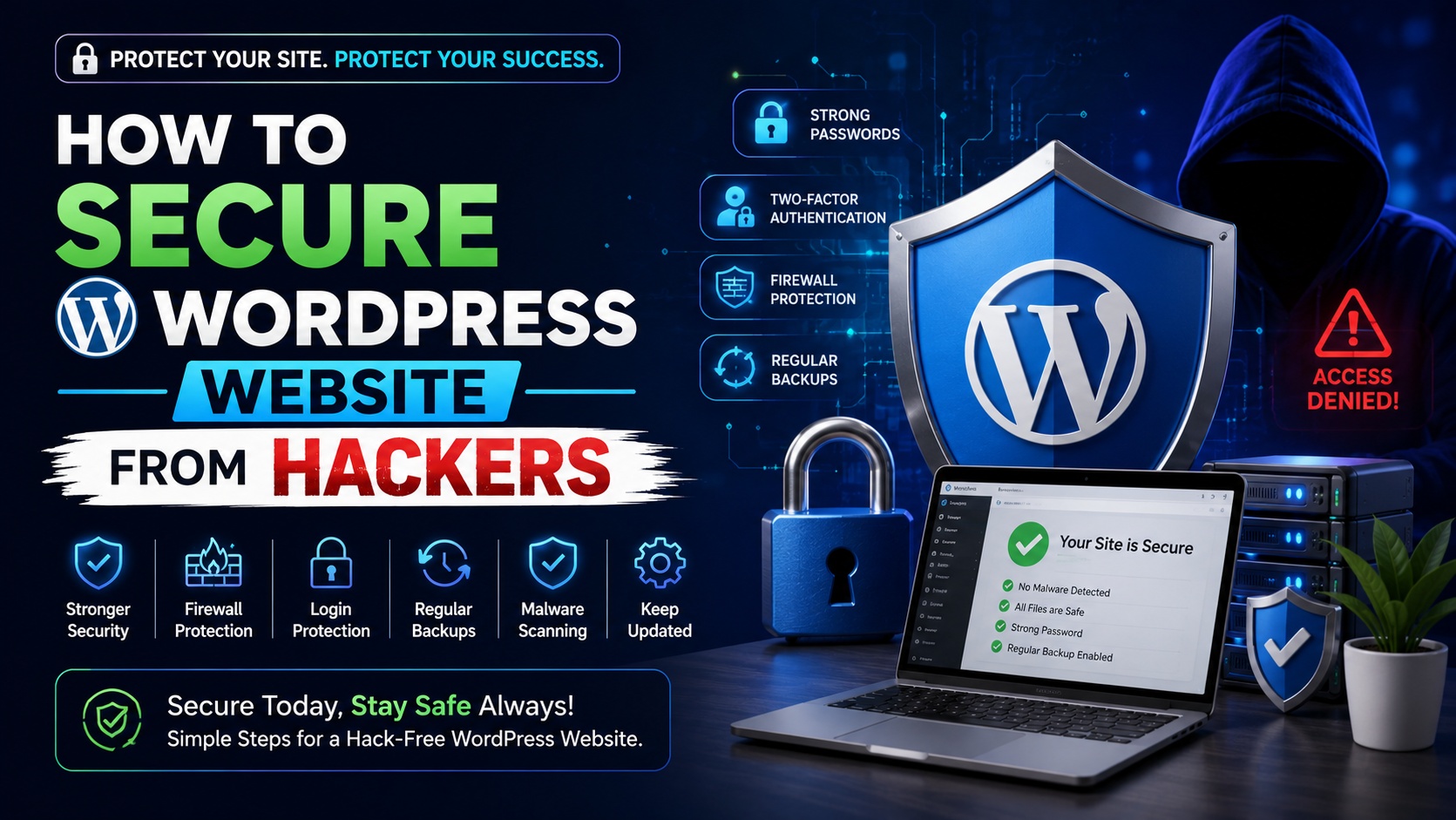












Why WordPress Websites Get Hacked
Before learning how to secure your site, it’s important to understand common reasons websites get compromised:- Weak passwords
- Outdated themes or plugins
- Cheap or insecure hosting
- No SSL certificate
- No firewall protection
- Too many unused plugins
- Lack of regular updates
1. Use Strong Login Credentials
The easiest way hackers access websites is through weak passwords.What You Should Do:
- Use a strong password with letters, numbers, and symbols
- Avoid using “admin” as your username
- Change default login details
- Use unique passwords for WordPress and hosting
2. Keep WordPress Updated
Outdated software is one of the biggest security risks. Always update:- WordPress core
- Themes
- Plugins
3. Choose Secure Hosting
Your hosting provider plays a major role in website security. Look for hosting that offers:- Malware scanning
- Firewall protection
- Automatic backups
- DDoS protection
- SSL certificate
- Server-level security
4. Install an SSL Certificate (HTTPS)
If your website still runs on HTTP, it’s vulnerable. An SSL certificate:- Encrypts data between user and server
- Protects login information
- Improves trust
- Helps with SEO
5. Limit Login Attempts
Hackers often try thousands of password combinations using automated bots. Limiting login attempts:- Blocks brute-force attacks
- Temporarily locks suspicious IP addresses
- Protects admin login
6. Change Default Login URL
By default, WordPress login page is:yourwebsite.com/wp-admin
Hackers know this. Changing your login URL reduces automated attack attempts.
This adds an extra layer of protection.
7. Remove Unused Themes and Plugins
Inactive themes and plugins can still contain vulnerabilities. Keep only:- One active theme
- Necessary plugins
8. Use Two-Factor Authentication (2FA)
Two-factor authentication adds another security layer. Even if someone knows your password, they cannot log in without:- SMS verification
- Authenticator app code
9. Regular Backups Are Essential
Even with strong security, backups are your safety net. You should:- Take daily or weekly backups
- Store backups off-site
- Test backup restoration
10. Set Proper File Permissions
Incorrect file permissions can allow unauthorized access. Typical recommended permissions:- Folders: 755
- Files: 644
11. Disable File Editing in Dashboard
By default, WordPress allows theme and plugin file editing from the admin panel. You can disable this by adding the following to your wp-config.php file:define('DISALLOW_FILE_EDIT', true);
This prevents hackers from injecting malicious code if they gain admin access.
12. Monitor Website Activity
Regularly check:- Login attempts
- Suspicious activity
- File changes
- Unknown admin users
13. Protect wp-config.php File
The wp-config.php file contains important information like database credentials. You can add extra protection using .htaccess rules to block unauthorized access.14. Disable XML-RPC If Not Needed
XML-RPC can be exploited for brute-force attacks. If you’re not using it, disable it for better security.15. Use a Web Application Firewall (WAF)
A firewall filters malicious traffic before it reaches your website. It protects against:- SQL injections
- Cross-site scripting (XSS)
- DDoS attacks
- Brute-force attempts
Signs Your WordPress Website Is Hacked
Watch for warning signs:- Website redirects to unknown pages
- Sudden drop in traffic
- Unknown admin users
- Spam content appearing
- Browser security warnings
- Suspicious hosting alerts
Final Thoughts
Securing your WordPress website doesn’t require advanced technical skills. Most hacks happen due to negligence, not complexity. If you follow these basic security practices:- Use strong passwords
- Keep everything updated
- Choose secure hosting
- Enable SSL
- Take regular backups
- Limit login attempts
- Remove unused themes and plugins
Search
Recent Post
-
12 Jul 2026Top AI Tools for Students in India -
27 Jun 2026How to Start a WordPress Blog -
21 Jun 2026Complete SEO Guide for Beginners -
07 Jun 2026How to Secure WordPress Website from Hackers -
07 Jun 2026Step-by-Step Guide to Creating an Online Store with WooCommerce -
17 Apr 2026How to Create Images Using AI for Free -
27 Mar 2026Best Free AI Tools for Content Creation in 2026 -
17 Mar 2026Future of Artificial Intelligence in India -
11 Mar 2026Cybersecurity Trends You Should Know -
27 Feb 2026Best Android Apps for Students
Popular Category
Want More Tech Tips & Updates?
Stay ahead in the digital world with our latest articles, expert insights, and practical tutorials. Get updates on SEO, AI tools, WordPress, blogging, digital marketing, and online growth strategies delivered straight to your inbox.
- Blog & Resources
Latest Tech Insights & Expert Guides
Top AI Tools for Students in India
Top AI Tools for Students in India Top AI Tools for Students in India Artificial Intelligence is no longer just for tech experts or big companies. Today, students in India…
How to Start a WordPress Blog
How to Start a WordPress Blog How to Start a WordPress Blog Introduction Have you ever thought about sharing your ideas, building an online business, or creating a website that…
Complete SEO Guide for Beginners
Complete SEO Guide for Beginners Complete SEO Guide for Beginners Artificial Intelligence (AI) is no longer a futuristic concept—it is rapidly transforming how India works, learns, and grows. From startups…