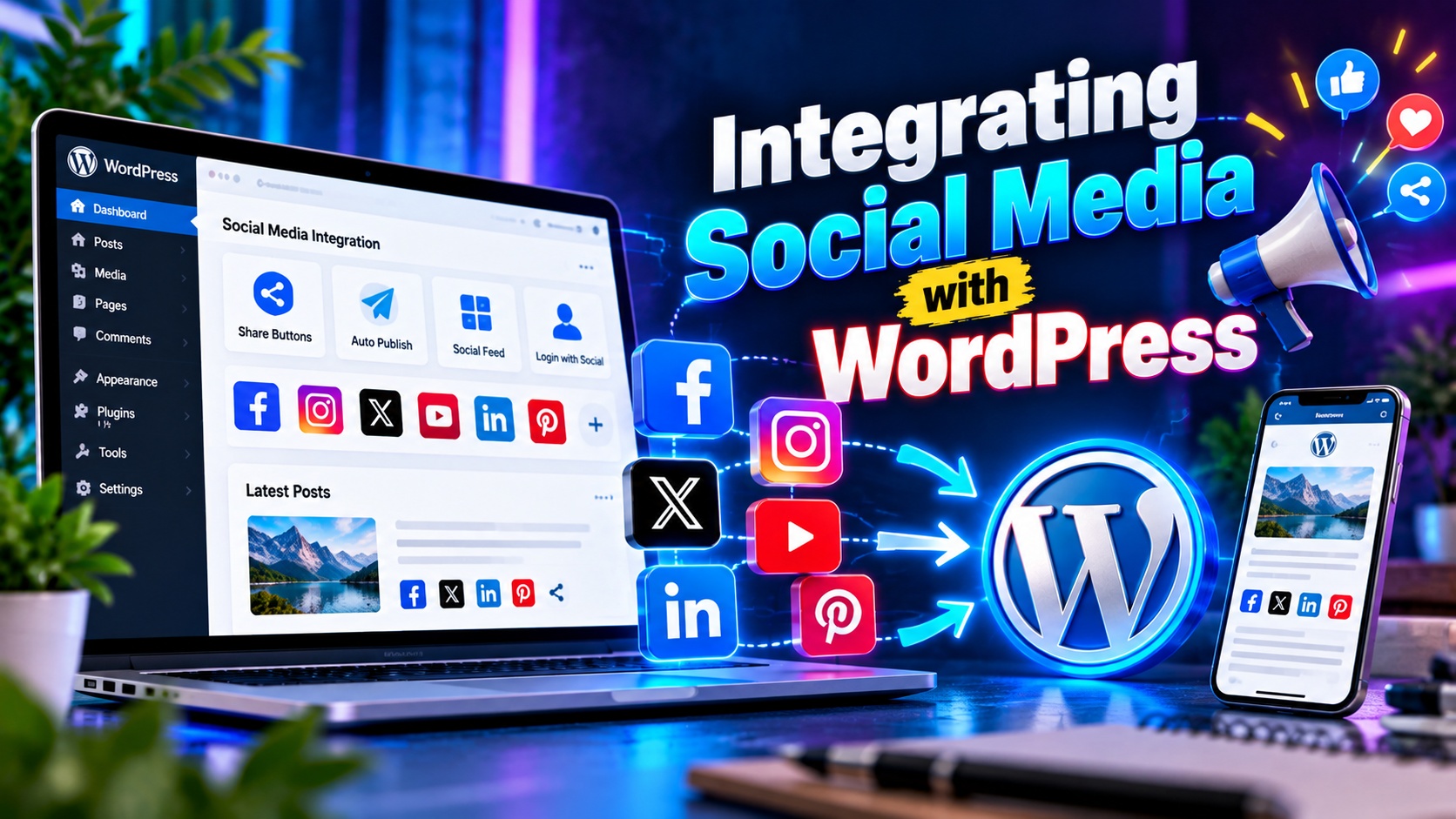
Social media and websites are no longer separate marketing channels. They work best when connected strategically. Integrating social media with WordPress helps you expand reach, increase engagement, drive traffic, and strengthen your brand presence across platforms.
Whether you run a blog, business website, or online store, connecting your WordPress site with your social media profiles ensures your content reaches the right audience at the right time.
Why Social Media Integration Matters
Your website is your digital home. Social media platforms are distribution channels. When properly integrated, they:
- Increase website traffic
- Boost content visibility
- Improve brand credibility
- Encourage audience engagement
- Support SEO indirectly
Instead of relying on visitors to discover your content organically, social media helps you promote it actively.
Add Social Sharing Buttons
One of the simplest ways to integrate social media is by adding social sharing buttons to your blog posts and pages.
Sharing buttons allow users to:
- Share articles on Facebook
- Tweet blog posts
- Pin images to Pinterest
- Share content on LinkedIn
Place sharing buttons:
- At the top of articles
- At the bottom of posts
- As floating sidebars
Make sure they are visible but not distracting.
Connect WordPress to Facebook
Integrating your website with Facebook helps distribute content automatically.
You can:
- Auto-post new blog articles to your Facebook page
- Add a Facebook feed to your website
- Install Facebook pixel for tracking
- Use Facebook comments on blog posts
Automatic publishing ensures your content reaches followers without manual posting every time.
Integrate Instagram with WordPress
Instagram integration works well for visual brands.
You can:
- Display Instagram feed on your homepage
- Embed individual Instagram posts
- Add social icons linking to your profile
- Use Instagram shopping features with WooCommerce
Visual integration builds trust and keeps your website dynamic.
Use Twitter (X) Integration
Twitter is powerful for real-time engagement and news updates.
With integration, you can:
- Auto-share blog posts
- Embed tweets inside articles
- Display Twitter feed in your sidebar
- Add Twitter cards for better previews
Embedding tweets adds credibility and enhances content depth.
LinkedIn Integration for Business Websites
For professional and B2B websites, LinkedIn is essential.
You can:
- Share blog posts automatically
- Add LinkedIn share buttons
- Embed LinkedIn posts
- Promote company updates
LinkedIn integration strengthens authority and professional branding.
Auto-Publish Blog Posts to Social Media
Manually sharing every blog post takes time. Automation tools help publish content across platforms automatically.
Benefits include:
- Consistent posting
- Time-saving workflow
- Broader audience reach
- Reduced manual effort
You can schedule posts and customize captions for different platforms.
Embed Social Media Feeds
Displaying live social feeds on your website keeps it fresh and engaging.
Common placements include:
- Homepage sections
- Sidebar widgets
- Footer areas
- Dedicated social media pages
Live feeds show visitors that your brand is active and trustworthy.
Add Social Login Options
Social login allows users to sign up or log in using their social accounts.
Benefits:
- Faster registration process
- Improved user experience
- Higher conversion rates
- Reduced password fatigue
This is especially useful for membership sites and online stores.
Use Social Proof for Credibility
Social proof builds trust and encourages conversions.
Examples:
- Display follower counts
- Show testimonials from social media
- Embed user-generated content
- Highlight reviews
When visitors see active engagement, they feel more confident interacting with your brand.
Track Social Media Traffic
Integration is incomplete without tracking.
Use analytics tools to monitor:
- Social referral traffic
- Engagement metrics
- Conversion rates from social channels
- Campaign performance
This helps you identify which platforms deliver the best results.
Optimize Content for Social Sharing
To maximize results:
- Write engaging headlines
- Use high-quality featured images
- Add compelling meta descriptions
- Use Open Graph tags
- Customize social previews
Optimized previews increase click-through rates when shared.
Maintain Brand Consistency
Your website and social media profiles should have:
- Matching logos
- Consistent colors
- Similar messaging
- Unified tone
Consistency builds recognition and strengthens brand identity.
Mobile Optimization Is Essential
Most social media users browse on mobile devices. Ensure:
- Responsive website design
- Fast loading speed
- Proper image scaling
- Clickable social icons
A mobile-friendly website improves engagement from social traffic.
Avoid Common Integration Mistakes
Common errors include:
- Overloading pages with too many social widgets
- Using outdated plugins
- Ignoring privacy compliance
- Not testing social previews
- Failing to track performance
Balance functionality with performance and user experience.
Privacy and Compliance Considerations
When integrating social media:
- Update your privacy policy
- Inform users about tracking pixels
- Add cookie consent where required
- Follow GDPR or local data protection regulations
Transparency builds trust and avoids legal issues.
Creating a Social Media Strategy with WordPress
Integration works best when supported by strategy.
Steps to follow:
- Identify target audience
- Choose relevant platforms
- Create consistent content
- Schedule regular posts
- Monitor analytics
- Optimize based on performance
A structured plan ensures sustainable growth.
Final Thoughts
Integrating social media with WordPress transforms your website into an interactive marketing hub. It connects content creation, audience engagement, and traffic generation into one unified system.
Start with basic sharing buttons and automated posting. Gradually implement advanced features like social login, live feeds, and conversion tracking. With the right integration strategy, your WordPress website can drive stronger engagement, build brand loyalty, and increase long-term growth.
Your website and social media should not compete—they should work together to amplify your digital presence.